Start with the prompt
ChatGPT is very good at producing text that is grammatical, organized and slightly bland. Readers have seen enough of it to recognize the voice: a polite opening, evenly sized sentences, a list of three, a neat wrap-up. You cannot prompt that voice away completely, but you can edit it away quickly. These are nine edits, ordered by how much difference they make per minute spent.
Edit 1: set the voice before you generate. The cheapest fix happens in the prompt. Say who the reader is, what you want the tone to be, and which phrases to avoid. Better still, paste a paragraph you wrote yourself and ask the model to match its rhythm and vocabulary. A draft that starts closer to your voice needs far less repair afterwards.
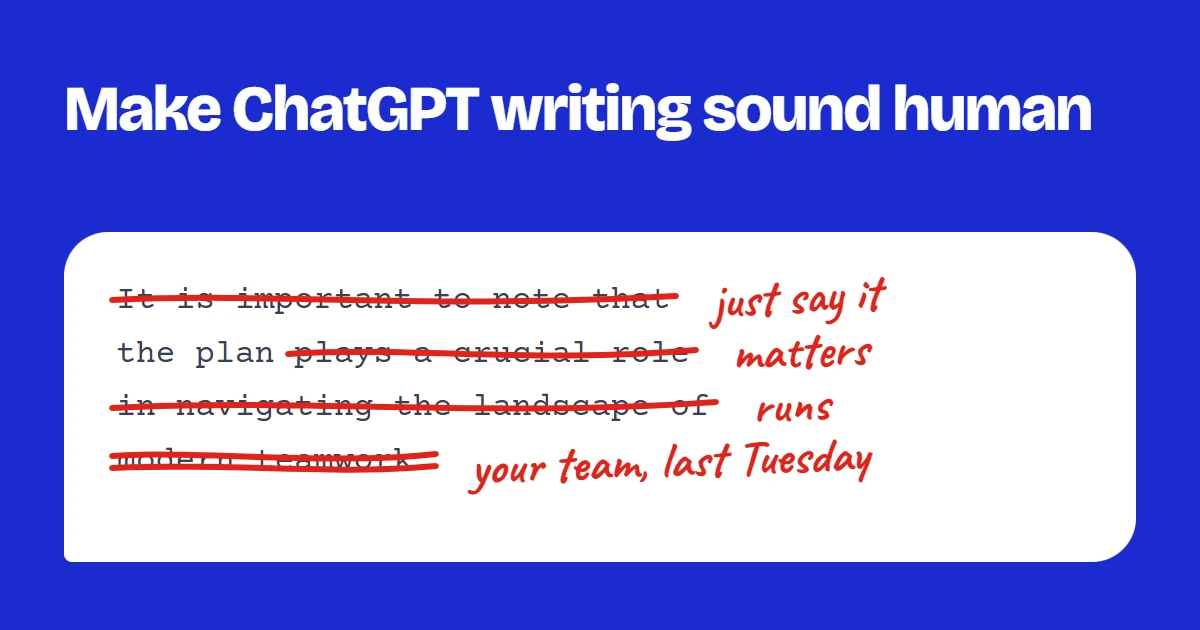
Edit 2: cut the warm-up. The first sentence of a ChatGPT answer often restates the question or announces what is coming, for example "Choosing the right laptop is an important decision that depends on several factors." Delete sentences from the top until you reach the first one that tells the reader something they did not already know. That is your real opening.
Edits to the sentences
Edit 3: replace the stock vocabulary. Models lean on a small set of words: delve, landscape, tapestry, crucial, seamless, leverage, robust, navigate. Each one has a plainer substitute (look at, field, mix, important, smooth, use, strong, deal with). Do a quick search for them and swap in whatever you would say out loud. Two or three swaps are enough to change how a paragraph feels.
Edit 4: break the rhythm. AI sentences tend to land at a similar length, which creates a steady, slightly hypnotic beat. Take one long sentence and split it in two. Take two short ones and join them with a comma or a dash. Then put one very short sentence somewhere it earns attention. For example: "The new schedule reduces overlap between teams and gives each group a clear window for deep work." can become "The new schedule cuts overlap. Each team gets a clear window for deep work."
Edits that make it yours
Edit 5: break up the lists of three. "Fast, efficient, and reliable." "Clear, concise, and compelling." The triplet is a favorite of language models because it sounds complete. Pick the one item that is actually true and show it with an example instead. One specific claim reads as more honest than three general ones.
Edit 6: add specifics only you know. Names, numbers, places, dates, the thing a customer said last Tuesday. A model working from a short prompt cannot invent real details, and when it tries, they are the first thing to check. Your own specifics are the strongest signal that a person with real experience wrote the piece, and they are also what makes a reader trust it.
Edit 7: allow some personality. Use contractions where you would speak them. Start a sentence with "But" or "So" when that is how the thought arrives. Let one opinion stand without a hedge. Do not fake typos or slang you would never use; the goal is your natural register, not a costume. If you would not say a sentence to a colleague, rewrite it until you would.
Edit 8: read it aloud. Any sentence you stumble over, or that sounds like a press release when spoken, needs another pass. This step takes two minutes and catches more than any checklist, because your ear knows your own voice better than a rule can describe it.
Where a humanizer helps
Edit 9: verify the facts. ChatGPT can state something wrong in the same confident tone as something right, and it can invent sources that look real. Before you publish or submit, check every number, name, quote and link against a source you have opened yourself. Making text sound human does nothing for its accuracy.
Where does a humanizer fit? It automates the mechanical edits, roughly 2 to 5: stock phrases, connectors and sentence rhythm. Running a draft through the free AI humanizer first and then reading the Changes view lets you accept or undo each rewrite, which leaves your time for the edits that need you: the specifics, the opinion and the fact-check. No tool can promise how a particular detector or reader will judge a draft, so treat the result as a better first version, not a finished one.
Try the Free AI Humanizer
See the difference genuine humanizing makes — paste any AI text and get natural, human-sounding writing back.
Humanize My TextKeep reading
7 min read
How to Edit an AI-Written Essay Before You Submit It
If your course allows AI help, the draft is only the starting point. Here is how to check the policy, verify the sources and make the argument your own.
5 min read
How to Make AI-Written Emails Sound Natural (With Before and After Examples)
AI email drafts are polite to a fault. Here is how to cut the filler, shorten the openers and write emails people actually answer.